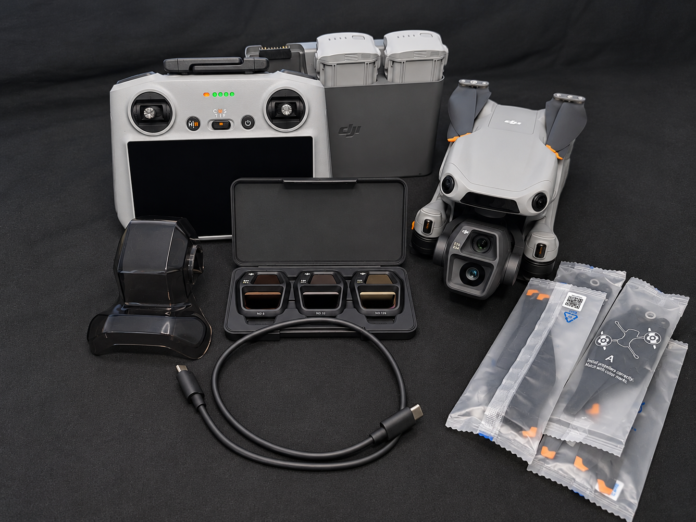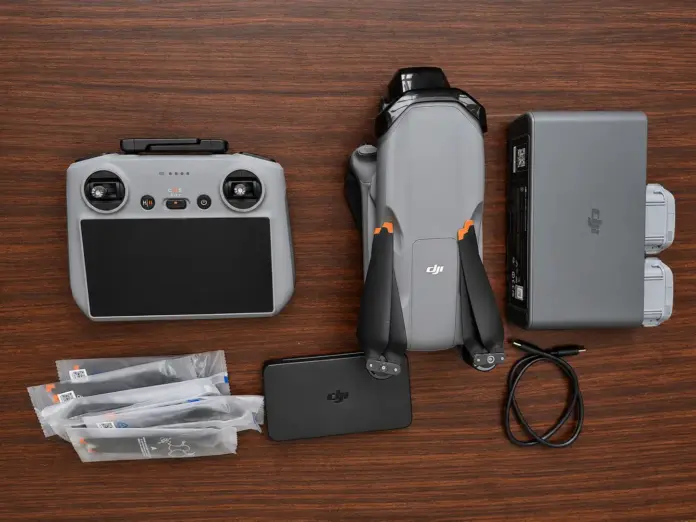

Among all the drones available in the market, DJI drones are considered the most reliable consumer and commercial drones. The use of sophisticated camera systems, intelligent flying modes, and high-quality performance of DJI drones makes them popular choices among various users.
However, the popularity of these devices has brought about an increased demand for used, refurbished, damaged, and even misrepresented drones.
Table of Contents
A Great Deal Isn’t Always a Great Buy
It is not rare to come across advertisements that claim the drones being sold are “brand new” despite having been activated, repaired following a crash, or heavily used. There is nothing wrong with purchasing a refurbished or used DJI drone; the problem arises when you end up paying for a new one.
Luckily, determining the real condition of the DJI drone is not hard at all. By conducting some tests and carrying out an examination, you will not make any mistake when purchasing the item.
The Reason Why It Is Important to Check a DJI Drone Before Buying
While the outside of a drone may appear brand new, there might be some internal problems that will negatively influence performance and the lifespan of the drone.
Buying a second-hand drone without thorough checking might lead to such problems as:
- Reduced battery capacity
- Hidden crash damage
- Motor or gimbal failures
- Expired warranty period
- Lower reselling price
- Missing or replaced accessories
Therefore, spending a couple more minutes on checking the drone will prevent you from costly repairs and disappointment in the future.
What Is an Original DJI Drone?
When you purchase a brand new DJI drone, it should come out of the factory the way it left.
You should expect to see:
- Sealed factory box
- Serial number matching on all parts
- A perfect body with no scratch
- Propeller with no wear at all
- Almost unused battery with zero or very low charging cycles
- Complete manufacturer warranty
- Never activated before
If anything seems out of place, you may want to look into it before paying.
Things to Look Out for Prior to Purchasing Your DJI Drone
Take time to inspect all the critical components of your drone before you buy. The following are the things that you should check before buying your DJI drone:
1. Check the Packaging
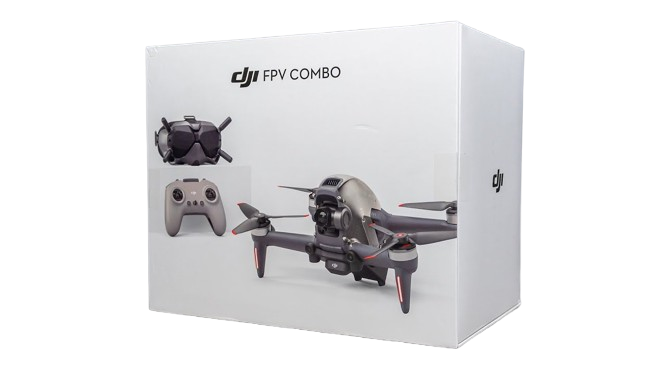
When inspecting the drone, the process starts before even taking the drone out of its package.
Check the packaging for any signs of tampering. Real DJI packaging has good printing quality, factory seals, and professional labeling.
Watch out if there is:
- Broken or replaced seals
- Damaged packaging
- Bad printing quality of box
- Additional stickers on top of the original ones
- Any indications of opening the box before
If the packaging is damaged, this does not necessarily mean that the drone is used, but rather that a more thorough check is needed.
2. Verify All Serial Numbers
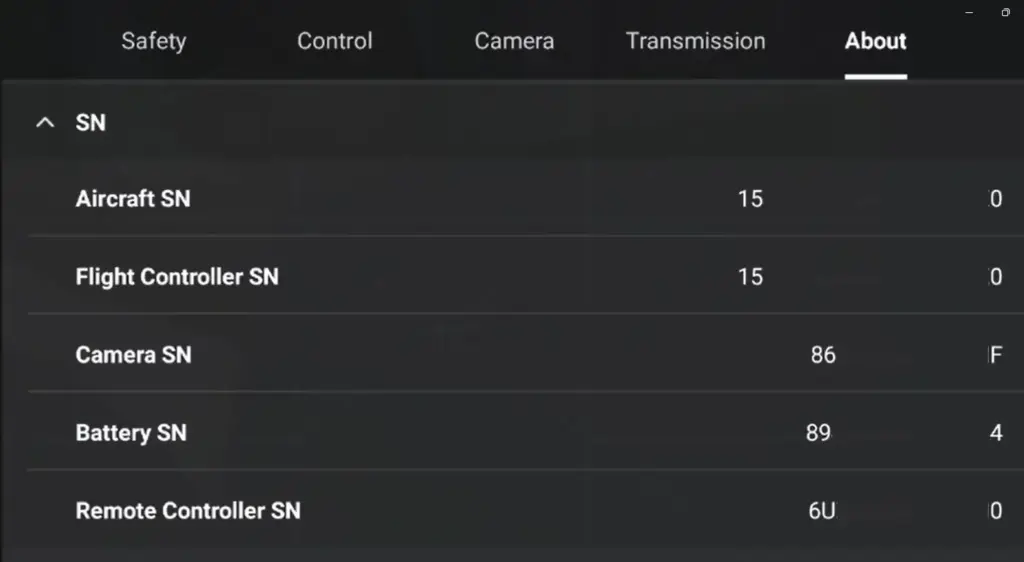
Each of the DJI drones comes with a unique serial number that serves as an identification number for each drone.
Check the serial number that appears on:
- The drone itself
- Intelligent Flight Battery
- Packaging in which the drone was sold
- Invoice for the sale of the drone
All of them must be in agreement and must correspond to the product being sold.
3. Verify the Activation Date
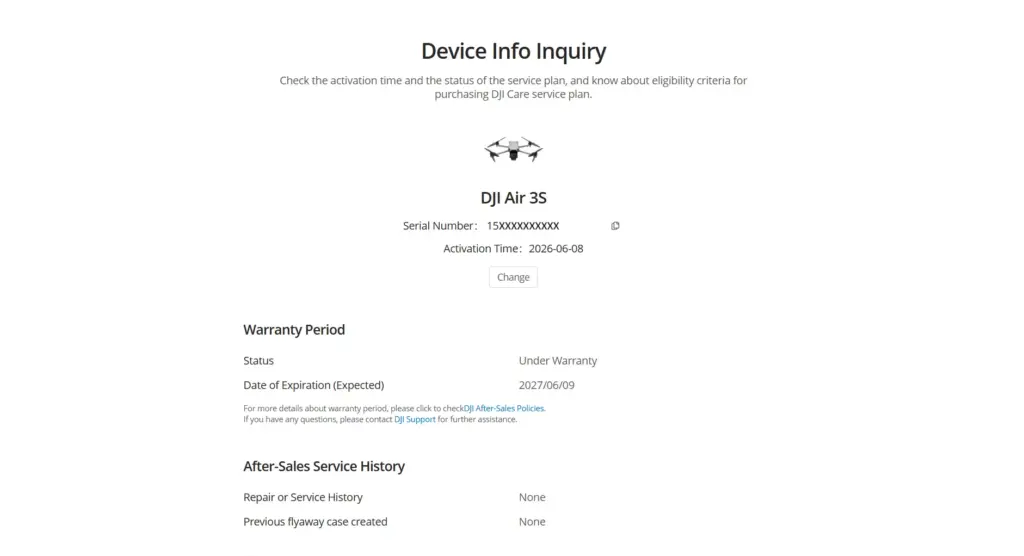
Checking the activation date may be one of the easiest methods to ensure that the DJI drone you intend to purchase is brand new.
Upon activation for the first time, the activation date of a DJI drone is recorded by the company.
The fact that the drone was activated weeks or months prior to your purchase means that it has been used or has at least been configured before.
Use DJI Device Info Inquiry to verify the serial number of your newly purchased drone.
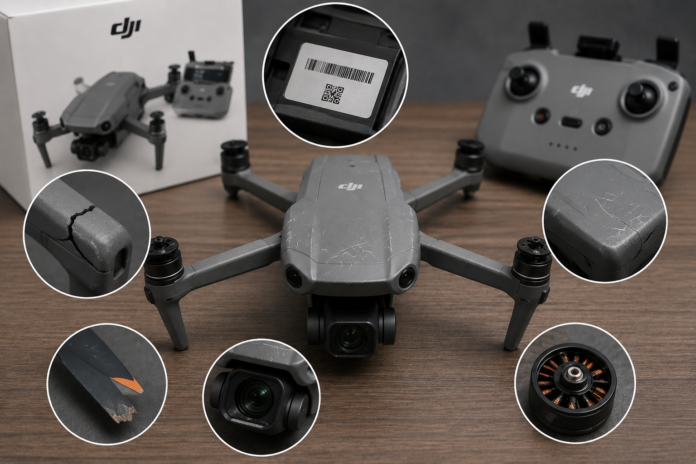
4. Conduct a Thorough Examination of the Exterior
Inspection by sight will most likely reveal more than you think.
Examine the drone from all angles and note:
- Scratches
- Any paint damage
- Any cracks
- Any loose folding arms
- Any damaged landing gear
- Any bent propellers
- Any dust/debris in the motors
- Any scratches to the camera lens
The exterior of a brand new DJI drone should be perfect with no sign of wear.
5. Reviewing the Camera and Gimbal
The camera is one of the costliest components in any DJI drone, making it extremely vital to check.
Turn on the drone and make sure that:
- Gimbal calibration takes place without hitches
- Smooth movement of the camera is seen
- The calibration process is done without faults
- Vibration dampeners are fine
- No cracking near mount locations
Any excessive vibration or restriction of movement can be an indicator of past impact.
6. Inspection of Battery Condition
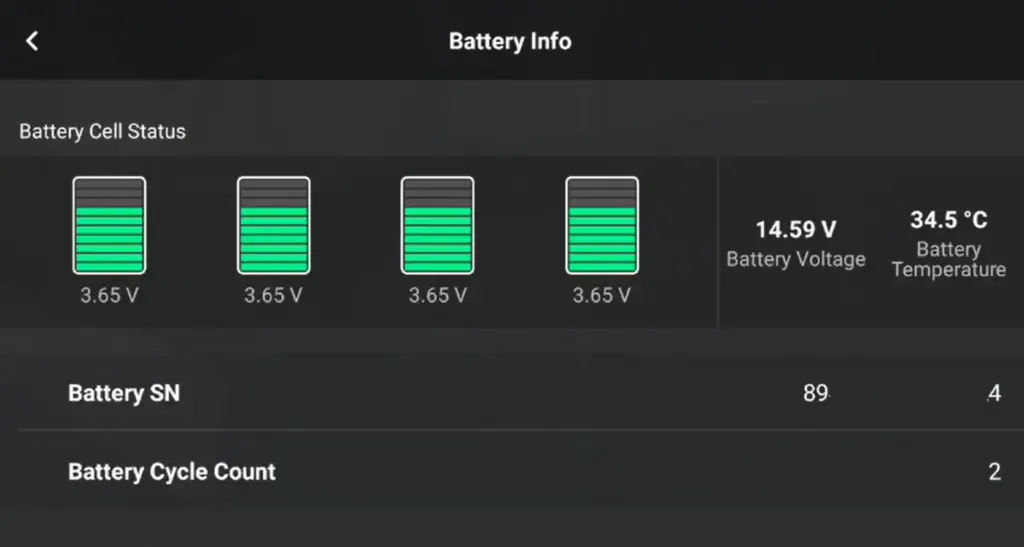
The Smart Flight Battery will be able to tell much about the past of your drone.
In the DJI Fly application, inspect the following:
- Number of charging cycles
- Battery condition
- Voltage of each individual cell
- Temperature warning
It goes without saying that when a number of charging cycles is very small, the drone was purchased newly.
7. Connecting a drone with DJI Fly App
Do not buy any DJI drone without switching it on first.
After connecting your drone to the DJI Fly application, check its status.
Remember to look at:
- Activation details
- Firmware version
- Compass
- IMU
- Battery condition
- Camera alerts
- Error messages
The good condition of the drone means there will be no system warnings while connecting it.
8. Check Each Key Feature
It does not matter how good the drone seems; a functional test is a must.
Make sure before buying that:
- The camera captures videos well
- Photos capture as intended
- Gimbal movement is smooth
- GPS locks fast
- Return to Home works as intended
- Obstacle detection works fine
- The remote control connection is reliable
All features must work as intended.
9. Search for Indications of Prior Repair Work
Any drone that has been repaired will have some indications that experienced buyers can recognize instantly.
Look at the drone and search for the following:
- Variety of screws color
- Screw head that is worn
- Glue marks
- Inconsistencies in panel spacing
- Loss of labels
- Replaced body panels
This will help you determine whether the drone has been repaired before.
10. Check out the flight log
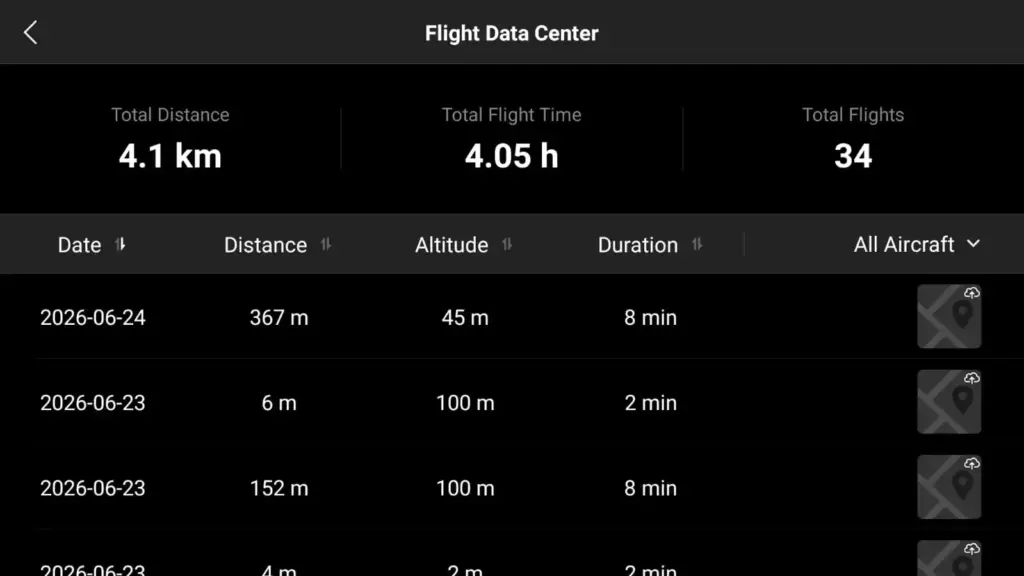
While buying a used DJI drone, request its flight log from the seller.
Some helpful information would be:
- Hours flown
- Number of flights
- Flight logs
- History of crashes
- Maintenance log
A real seller, who has taken good care of the drone, will not have any problem giving you these details.
11. Confirm the Warranty
A warranty will offer peace of mind.
When making your purchase, make sure that the drone has:
- Manufacturer’s warranty from DJI
- DJI Care
- Time left in the warranty
Even when buying a second-hand drone, having warranty coverage will raise its value.
12. Purchase From a Trusted Seller
It is important to note that where you acquire your drone is as crucial as the drone itself.
Try to purchase from the following places:
- DJI authorized dealers
- DJI official stores
- Drone retailers
- Online stores with verified sellers
In case the price offered is too low, make sure that you verify the drone first before making the payment.
Warning Signs You Should Never Ignore
There are some warning signs that can make you rethink your purchase instantly.
You must avoid buying a drone if:
- The serial number is missing.
- The factory seal has been broken.
- The activation date is old.
- There is a mismatch in the serial number.
- There is too much cosmetic damage.
- The batteries have had many charge cycles.
- The seller doesn’t demonstrate the product.
- There is no original invoice of purchase.
- The price seems very low.
What Should You Do If Something Isn’t Quite Right?
In case you believe that the drone isn’t really a brand-new model, don’t be hasty to make your purchase.
Do the following:
- Make sure you get all the clarification from the seller.
- Ask for the receipt.
- Check out the activation date.
- Match the serial numbers.
- Inspect the drone completely.
- Get information regarding the warranty from DJI Support if required.
- Use safe payment and buyer protection options if shopping online.
It’s always safer not to make a purchase than to end up paying for someone else’s trouble.
Concluding Remarks
Buying a DJI drone is supposed to be an exciting purchase rather than a risky one.
Regardless of whether you are buying a new device, a certified refurbished device, or a used drone, investing some time into evaluating its condition will prevent you from costly problems in the future.
Ensure that serial numbers are correct, that the device has been activated once before, that batteries work well, that there are no problems with the drone’s condition, and test all major functions.
Frequently Asked Questions (FAQs)
1. Is purchasing a refurbished DJI drone a bad decision?
Of course not. All refurbished DJI drones go through inspection and testing, and most of them have warranty support. The crucial thing is that they should be marked as refurbished and their prices should reflect this fact.
2. Does a repaired DJI drone work properly?
Yes, but only if it has been properly repaired with authentic spare parts. Poorly repaired drones can encounter various reliability problems in the future.
3. How can I find out whether a DJI drone has been activated before?
The day of its activation is documented when a DJI drone is activated for the first time. It is done to establish whether an aircraft was ever used before.
4. Is purchasing a used DJI drone worthwhile?
Certainly. A high-quality used DJI drone is always worth purchasing if it has never been damaged and if there is a clear record of its previous owners.