
Your Grip Can Change the Way You Hold Drone Controller
The drone pilot could have the best drone, the most efficient camera settings, and many years of practice experience, but still, if the remote control does not feel good in his/her hands, he/she will not manage to fly the drone in the best way possible.
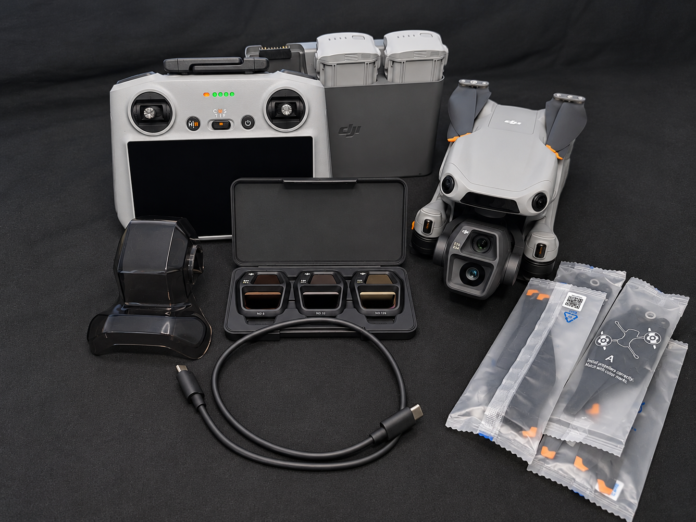
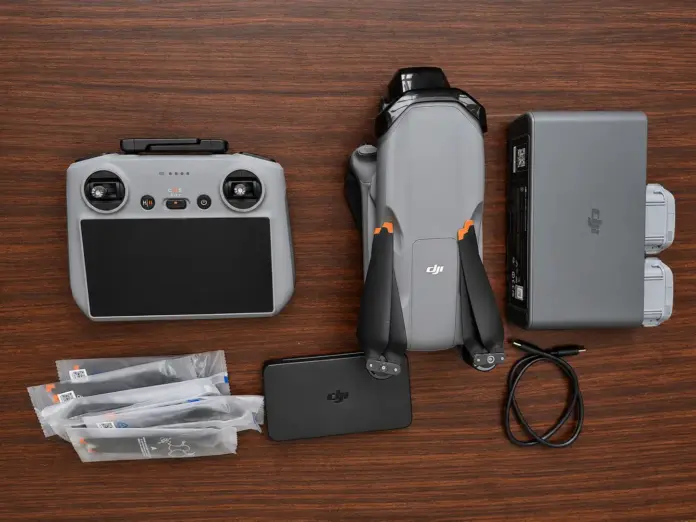
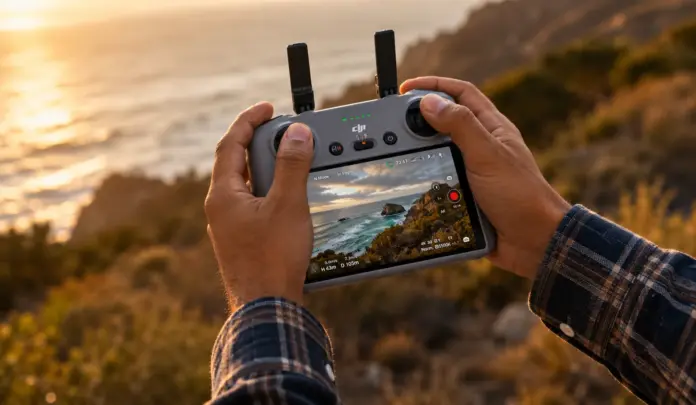
The DJI RC is designed to provide relatively small buttons to control drones with two control sticks, a gimbal dial, a camera control dial, a record button, a shutter/focus button, and customized C1 and C2 buttons. According to the company, the camera control dial serves as the button to zoom in, and the gimbal dial controls camera angle changes, while C1 and C2 can be adjusted with DJI Fly.
After flying with both common techniques to hold drone controller, I would describe them simply: thumb control feels natural and relaxed, while pinch control gives you more simultaneous control over the sticks and camera functions.
Let me describe how I can compare these two widely used control methods.
Table of Contents
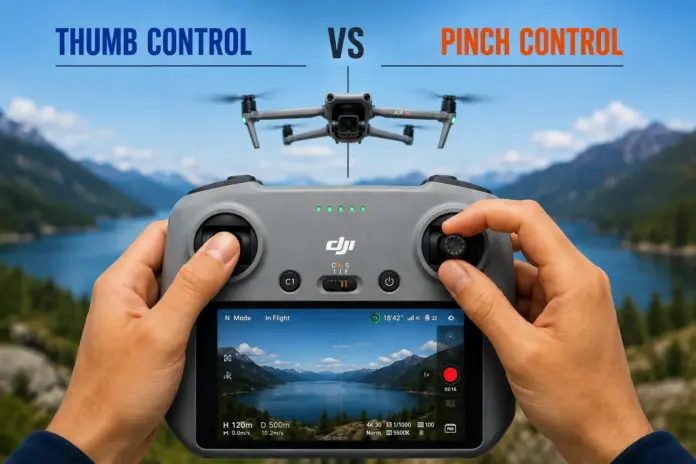
Thumb Control vs Pinch Control
There are two commonly used methods of grip for a DJI-style controller: thumb and pinch control.
Thumb control: Your thumbs maneuver the control sticks, and the other fingers are there to hold the controller.
Pinch control: The thumb and the index finger manipulate the control sticks, and other fingers can access the camera controls.
Neither method is universally wrong or right. The better method depends on your flying style, experience, comfort, and how much simultaneous camera control you need.
Method 1: Thumb Control
For most novices, controlling the thumb is the easiest option.
Grasp the DJI RC controller in your hands in a natural manner. Ensure that you maintain your hands supporting the controller using your palms and lower fingers but do not squeeze the controller.
Fingers Positioning
Thumbs: Place both your left and right thumbs on the two control sticks. Your thumbs should remain loose with smooth finger movement rather than large movements.
Index fingers: Position your index fingers in such a way that they can easily get to the camera/shutter and record buttons, which are on top of the controller.
Middle fingers: Your middle fingers will be used to press the camera control dial and gimbal dial when necessary. On the DJI RC, the camera control dial is especially used to zoom, whereas the gimbal dial tilts the camera.
Fourth fingers: Position your fourth fingers on the sides/back of the controller and use them for additional support and access to C1/C2 buttons depending on how you prefer your hands to be.
Pinky fingers: Use your little fingers to support the bottom side of the controller, as this is another contact point and prevents the RC from slipping.
Advantages of Thumb Control
The key benefit of thumb control is its simplicity.
It is natural, needs minimal coordination of fingers, and is great for newbies, occasional flights, shooting landscapes, and operating drones in general.
Additionally, it is comfortable for long flights since your hands will be in a more relaxed position.
Disadvantages
The drawback is evident when you want to fly, control the gimbal, change the zoom, and work with the camera controls simultaneously.
Since your thumbs are occupied by the flight controls, reaching other controls may involve some movements of your hand.
Method 2: Pinch Control
And now we move to the method used by most experienced drone pilots in order to perform more complex missions: pinch control.
Unlike previous methods, your thumbs should be pinching each stick together with your index finger.
It gives you instant additional mobility for your hands.
Fingers Positioning
Thumb and index finger: Use the thumb and index finger of both hands to pinch the sticks and operate them.
Remember, do not apply excessive pressure on the sticks. Use a light pinch and perform delicate manipulations.
Middle fingers: With your middle fingers, you can operate all camera controls. It gives you faster access to shooting operations while your thumbs and index fingers are responsible for flight operations.
Fourth fingers: Place the fourth fingers near the control area of your controller so that they can access the necessary dials.
Pinky fingers: Use little fingers to access the C1 and C2 buttons and also support your controller; place them under the bottom part of the controller.
The exact location of fingers depends on the size of your hands, but one thing remains unchanged—two fingers operate each stick, while the other fingers support the controller and control the camera.
Advantages of Pinch Control
The greatest strength of this option is that it allows for simultaneous control.
It is possible to make controlled movements of the sticks with your fingers still free to perform functions of controlling the camera. This might be especially beneficial in case you need to make cinematic moves, films for real estate companies, tracking shots, and cases when aircraft movements and camera movements need to be made simultaneously.
Disadvantages
It requires some training to learn pinch control.
First of all, this option seems strange because your fingers have to perform actions they have never done before. In addition, there might be an issue with accidentally making aggressive movements of the sticks when you get used to using pinch control.
For long relaxing flights, some pilots might find this option uncomfortable compared to thumb control.
Thumb vs Pinch: My Honest Comparison
| Feature | Thumb control | Pinch control |
| Beginner-friendly | ⭐⭐⭐⭐⭐ | ⭐⭐⭐ |
| Comfort | ⭐⭐⭐⭐⭐ | ⭐⭐⭐⭐ |
| Precision | ⭐⭐⭐⭐ | ⭐⭐⭐⭐⭐ |
| Camera control | ⭐⭐⭐ | ⭐⭐⭐⭐⭐ |
| Cinematic flying | ⭐⭐⭐⭐ | ⭐⭐⭐⭐⭐ |
| Long flights | ⭐⭐⭐⭐⭐ | ⭐⭐⭐⭐ |
| Learning curve | ⭐⭐ | ⭐⭐⭐ |
| Quick Simultaneous control | ⭐⭐⭐ | ⭐⭐⭐⭐⭐ |
Which Control Method Is Best?
If you are new to drones, you should try to start with thumb control.
Before mastering sophisticated techniques using fingers, practice smooth flying, sticks, braking, maintaining proper altitude, yaw, and coordinated turns.
However, if you frequently create professional aerial photos and videos, you will benefit from learning pinch control.
As for me, it would be inappropriate to speak about the fact that one control method completely substitutes another. A professional pilot must feel free to use both control methods depending on the circumstances.
In case of an easy inspection flight, thumb control will do just fine. When creating an advanced shot with movement of the plane, tilting, and zooming the camera, pinch control will be advantageous.
Best DJI RC Accessories for Better Holding Comfort
If you want to emphasize comfort while operating and flying with DJI RC, then I would suggest not installing accessories purely because of their appearance. The best ones will be those accessories that decrease hand fatigue, provide better grip, or somehow help transfer the weight of the remote control from your hands.
The DJI RC weighs around 420 grams, so an ergonomic improvement may matter during a prolonged flight.
1. Lanyard/Neck Strap – Most Useful When Flying for a Long Time
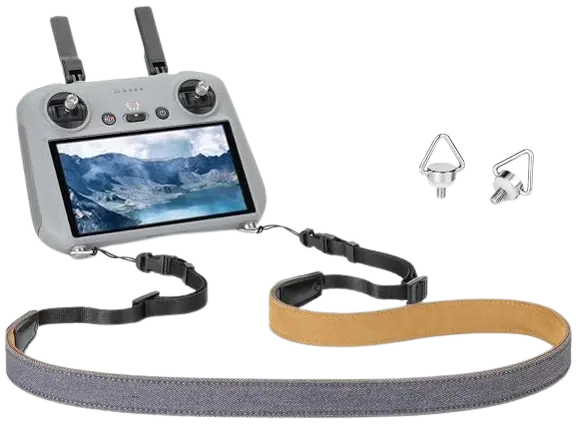
A lanyard can be considered the first accessory to recommend.
It takes part of the load from your hands while flying. In addition, it allows you to relax your hands and focus on the control sticks.
How it helps:
- Makes flight comfortable
- Reduces the risk of getting tired of hands and wrists
- Protects from an unexpected weakening of hands
- Works especially well when flying in pinch-control mode
- Allows you not to squeeze the controller too much
My recommendation: Get a good lanyard if you fly for 30-60 minutes or even longer.
2. Enhanced/Extended Thumb Sticks
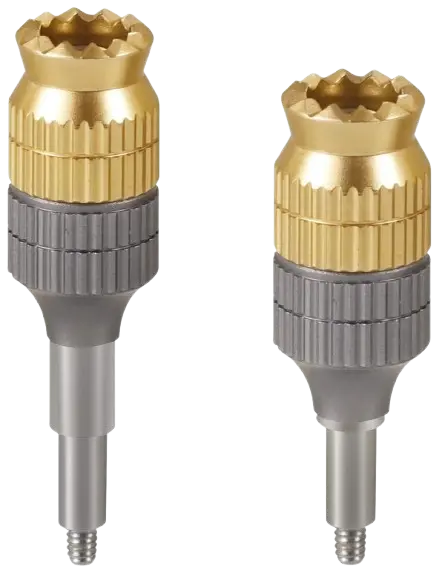
While the default sticks work just fine, some players would like to use taller thumbsticks or ones that offer some texture for greater tactile feeling.
They will come in handy, especially if you have big hands or make many small cinematic thumbstick moves.
Advantages:
- Greater surface for thumb
- Enhanced tactile sensation
- Easier to make small stick movements
- Extra grip with a textured stick
But always keep in mind that taller sticks don’t mean better. If they are too tall, you won’t feel comfortable using them.
3. Silicone Controller Grip/Protective Case
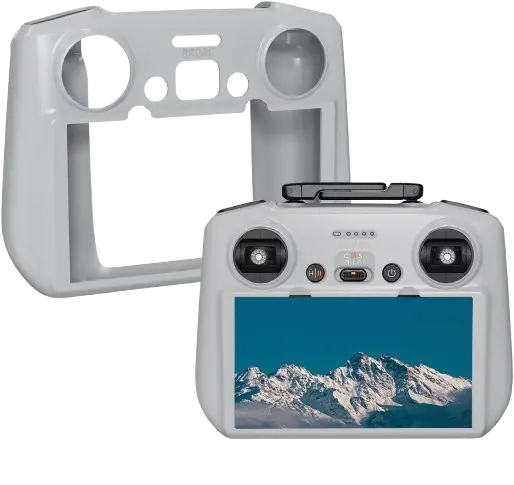
A well-fitted silicone case could help reduce the slipperiness of the RC, especially while using it in hot weather conditions.
It could also provide additional friction in the areas where your hands touch the controller.
Advantages:
- Improved grip
- Enhanced comfort of the palm on the controller
- Slipping is reduced
- Protection against scratches and minor damage
It is critical to get a controller case made specifically for the DJI RC. Do not choose an oversized case that will impede the C1/C2 buttons, wheels, sticks, antennas, and screen.
4. Self-Balancing Lanyard / Controller Support System
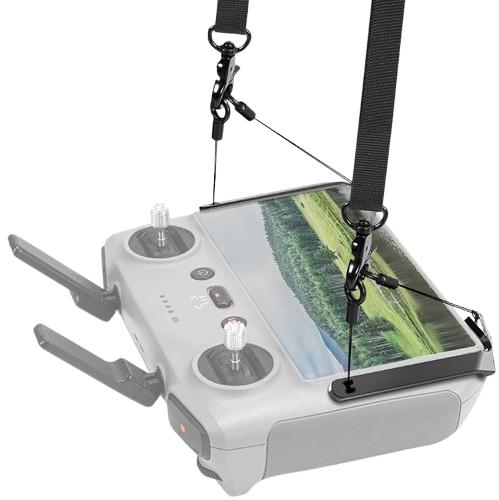
If you work as a shooter quite often, such a support system will be an interesting choice for you.
This system is not just meant to hang the controller somewhere, but it helps to maintain the correct position of the controller and distribute part of the weight from your hands.
Professional aerial shooting will find it helpful while flying for a long time.
Sun Hood – Helps Indirectly
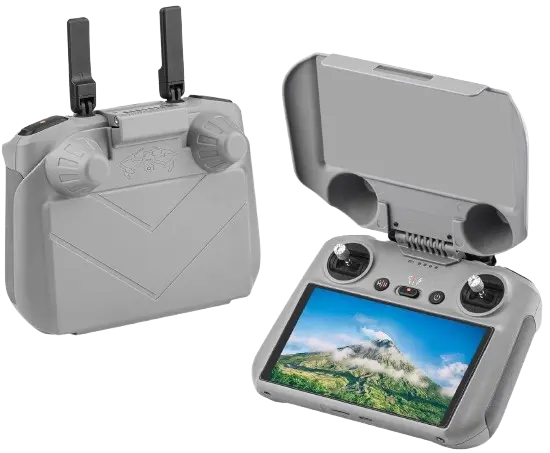
While a sun hood is not going to improve your grip on the controller directly, it can greatly increase your level of comfort while flying.
With the bright sun beaming down on you, the constant need to adjust the position of the controller due to the glare may be required. A sun hood helps to shield your screen from the direct light.
The RC/RC2 has a 5.5-inch 1080p screen with 700 nits.
6. Screen Protector
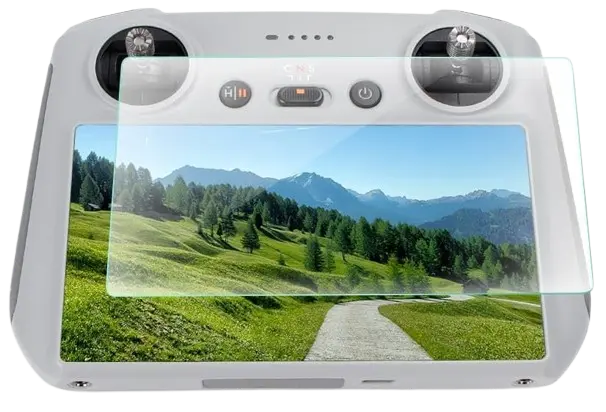
This type of screen protector is mainly designed for protection rather than providing comfort while holding the phone.
A tempered glass screen protector will provide protection to your touchscreen from scratches, fingerprints, and other damages. There is also a custom-cut 9H tempered glass protector available for RC/RC2 provided by a DJI authorized distributor.
I consider this a protection accessory and not a comfort accessory.
Final Verdict
There are no special grips that would make you an instant great drone pilot.
Thumb control is the best way to start. The grip technique that I would recommend you master with time is the pinch one.
Master both grips and use the thumb one in case you value ease and comfort. Go with the pinch grip in case precise control and shooting are important for you.
What is the most crucial point? You should never hold the DJI RC too tightly in your hands.
Your task is not to grip the controller firmly.
Your task is to be confident enough in your grip to move the sticks precisely whenever needed.
Frequently Asked Questions (FAQs)
1. Is thumb control better for beginners?
Yes. Thumb control is generally easier to learn because your thumbs naturally operate the sticks while the other fingers support the controller.
2. Is pinch control more professional?
Not necessarily. Many experienced pilots like pinch control because it can provide better access to simultaneous flight and camera controls, but professional pilots can use either technique effectively.
3. Can I switch between thumb and pinch control?
Absolutely. In fact, learning both techniques is useful. Choose the grip that gives you the best control for the particular flight.
4. Should I hold the DJI RC tightly?
No. A relaxed but secure grip is preferable. Excessive pressure can increase hand fatigue and make fine stick movements more difficult.
5. What does the gimbal dial do on the DJI RC?
The gimbal dial controls the camera’s tilt. The camera control dial is used for zoom, with its exact function configurable through DJI Fly.
6. What are the C1 and C2 buttons?
They are customizable buttons. DJI allows their functions to be configured in the DJI Fly app, so their exact operation can depend on your settings and aircraft.
7. Should I use a lanyard with the DJI RC/RC 2?
I recommend it, especially during professional or extended flights. It provides an additional layer of protection if you need to reposition your hands or accidentally lose your grip.
8. Which grip should I practice first?
Start with thumb control, build confident and smooth flight skills, and then practice pinch control when you are ready for more advanced camera and flight coordination.