
A drone can be equipped with a 4K camera, obstacle detection capabilities, GPS, smart flight modes, and amazing transmission range. But when your drone is 100 feet above the ground, there is something that stands between a safe flight and a sudden accident:
It is your fingers.
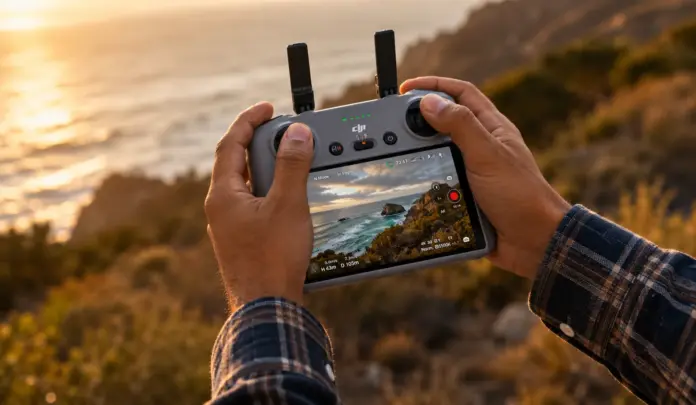
How you hold and handle your drone controller may seem to be an insignificant personal choice. However, your grip will affect your reaction speed, stick manipulation smoothness, comfort during prolonged flights, and even confidence when operating your drone in challenging situations.
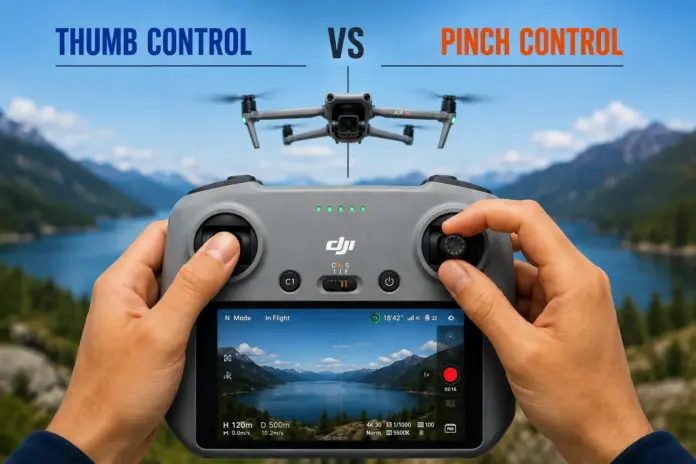
Two main techniques are using thumb control or pinch control.
I have used both of them, but if I had to select one of them for my regular flights, thumb control would be my preference.
So, which of these two techniques is better?
Let’s dive into the discussion of thumb vs pinch control techniques, their advantages and disadvantages, and situations when one of them should be preferred over another.
Table of Contents
What Is Drone Stick Control?
Prior to discussing thumb vs pinch control, we need to know what exactly we are controlling.
Traditional drone controllers have two control sticks. Depending on the type of controller setting, each stick is used for controlling certain actions.
For the commonly used Mode 2 configuration:
| Stick | Up/Down | Left/Right |
| Left Stick | Throttle/Ascend/Descend | Yaw/Rotate |
| Right Stick | Pitch/Forward/Backward | Roll/Left/Right |
This means that your hands control the drone’s
- Altitude
- Movement forward and backward
- Movement left and right
- Rotation
- Movement of camera in certain controller configurations
- Smooth movie-style moves
The drone itself might be highly automated, but it is your hand movements that determine the automation system usage.
This is why proper controller grip is important.
How Should You Hold Your Drone Controller?
Before moving the controls, your hands should be in a steady and comfortable position.
Typically, a proper grip on the controller would include:
- Having a firm yet not tight hold on the controller.
- Relaxing your wrists.
- Keeping your fingers away from the unnecessary buttons.
- Having easy access to the controls.
- Avoiding constant readjustment of your hand position.
- Moving the sticks with small, controlled movements.
The aim is not just moving the sticks.
The aim is to do small and predictable moves without losing control over your drone.
This is where different approaches to moving sticks come into play.
What Is Thumb Control?
Thumb control is likely the most instinctive way of controlling a drone controller.
You hold the controller with your hands and use your thumbs’ tips to control both control sticks.
Your index fingers stay around the back or top of the controller based on its design.
For recreational drone pilots, this method comes instinctively.
Why Do People Prefer Thumb Control?
The greatest benefit of this method is its simplicity.
When you are holding a drone controller for the first time, your instinctive action will be placing your thumbs on the control sticks.
You don’t need to give too much thought to the positioning of your fingers.
This is why thumb control is especially popular among:
- Beginners
- Recreational pilots
- Travel photographers
- Real estate drone pilots
- Social media content creators
- Quick aerial photography
- Short drone flights
One Great Thing About Thumb Control
There is one thing in particular that I love about thumb control:
It makes everything easy.
While I am piloting, my concentration should be on the surroundings, not on the handling.
I need to see the position of the drone.
I need to see the obstacles.
I need to see the composition of the shots.
I need to know the wind and battery status.
I need to think about the next move.
My thumbs can manage the sticks unconsciously.
That’s muscle memory.
And in drone piloting, muscle memory is priceless.
What is Pinch Control?
Rather than using your thumbs to manipulate the controls, you use your thumb and your index finger together on each control.
Think about how you hold something small in between two fingers.
The thumb tends to be below or to one side of the control while the index finger is on the other side, creating a pinch.
It might feel odd at first if you’ve been flying for months or years using only your thumbs.
However, once you get used to it, it might offer you an entirely new way to move the sticks.
Why Do Some Drone Pilots Prefer Pinch Control?
The most compelling reason for using pinch control is precision.
Using two fingers for controlling the stick provides greater physical manipulation of it.
This could enable the following:
- Tiny stick movements
- Precise cinematic flying
- Accurate acceleration
- Smooth camera movement
- Difficult maneuvers
- Professional flying for extended periods of time
Consider a cinematic flight in which you have to make your drone move forward at an extremely slow pace while changing its yaw and altitude at the same time.
Tiny stick movements become critical.
Pinch control makes some pilots feel more physically in control of the stick.
This does not necessarily imply that pinch control is better than grip control.
Pinch Control Has Its Place Too.
But that doesn’t mean that pinch control is wrong.
Not at all.
There are professional pilots who believe in it strongly.
If you are performing complex cinematic moves, inspecting something carefully, performing some complex maneuver, or just want more tactile feel with your sticks, then pinched control will be extremely useful for you.
The important point here is that you should not change techniques based on the assumption that one is more professional than the other.
Difference Between Thumb vs Pinch Control
There is a basic difference between thumb vs pinch control.
Thumb control involves using the thumb to press on the stick.
Pinch control involves using the thumb and index finger to hold the stick.
But what are the other differences?
| Feature | Thumb Control | Pinch Control |
| Finger Used | Thumb | Thumb + Index Finger |
| Learning Curve | Very Easy | Requires Practice |
| Natural Feeling | Very Natural | Takes Time to Adapt |
| Quick Corrections | Excellent | Good |
| Precision | Very Good | Excellent |
| Cinematic Flying | Excellent | Excellent |
| Long Flights | Comfortable | Comfortable with Practice |
| Beginner-Friendly | Yes | Moderate |
| Stick Manipulation | Simple | More Controlled |
| Reaction Speed | Fast | Moderate |
| Controller Handling | Simple | More Deliberate |
| My Preference | Yes | No |
Thumb vs Pinch Control: Which One Is More Precise?
And here comes the fun part.
Most pilots think that pinch control should always be more precise since there are two fingers controlling the stick.
However, the precision of piloting does not depend on the number of fingers touching the control stick.
Muscle memory, practice, controller sensitivity, stick tension, flight mode, and experience also play an important role.
The thumb pilot who is very experienced can make very precise moves.
Also, a professional pinch pilot can make amazingly smooth cinematic moves.
Thus, it would not be correct to say:
“Pinch control is always more precise.”
Instead, one can say:
Pinch control allows some pilots to have more physical control of the very slight stick movements.
However, if you have good muscle memory with thumbs, then thumb control can also be extremely precise.
Which Control Method Is Better for Beginners?
When speaking about newbies, my advice is to use thumb control.
Why?
Because you have enough stuff to learn already.
It includes the following:
- Take-off and landing
- Throttle control
- Yaw
- Pitch
- Roll
- GPS location
- Return Home
- Obstacle detection
- Battery monitoring
- Wind
- Regulations
- Camera setup
Introducing another finger into this list would be redundant.
Use thumb control first.
Gain confidence.
Get familiar with the drone behavior.
Form muscle memory.
Then, if you are up for something more cinematic, try pinch control.
Which Control Method Works Best for Cinematic Drone Flying?
It mostly depends on the pilot.
When working with cinematic drones, smoothness becomes more essential than speed.
A slight and unwanted stick movement may spoil the entire shot.
Think about flying down a road with a mountain revealed gradually in the background.
The drone should have constant
- Speed
- Altitude
- Yaw
- Framing
- Direction
Both thumb and pinch controls will give you that.
What is important here is not the method itself, but your ability to control it.
For my part, thumb control is sufficient.
Choosing Between Thumb vs Pinch Control
Give both methods a try.
Do not assess either method in just five minutes.
First, fly using thumb control for a few flights.
Second, try pinch control in a large, open space.
Try:
- Slow movement forward
- Slow movement backward
- Yaw
- Movement sideways
- Vertical movement
- Combined movements
- Slow cinematic orbit
- Positioning
Notice which method provides more control.
Consider the following questions:
- Which hand position is more natural?
- Which method makes smoother movements?
- Which method provides faster correction?
- Which method feels more comfortable after 20-30 minutes?
Your choice is more important than someone else’s.
One Essential Tip: Don’t Mix Up Grip and Flying Skill.
Controller grip is just a minor aspect of drone piloting.
Real flying ability lies in comprehending the craft and its surroundings.
With perfect pinch control, you may still make a bad flying decision.
By using the thumb control method, you can capture an amazing movie scene.
Successful drone piloting requires:
Watching + Deciding + Grip Control + Experience
Controller grip is nothing but the link between your decisions and the craft.
My Verdict: Thumb vs Pinch Control
Having assessed both the thumb vs pinch control methods, my decision is as follows:
I choose thumb control.
It feels natural, fast, smooth, and reliable.
Using it for routine photography from the sky, for real estate pictures, inspections, traveling videos, and other drone flying activities provides me with all I need.
Pinch control is amazing and definitely worth giving a shot, especially if you are looking for precision flying skills.
However, don’t worry if your pilot is using pinch control while you are still practicing thumb control.
Your choice should allow you to fly the drone in a safe and confident way.
For me, it is thumb control.
For someone else, it is pinch control.
And it’s totally okay.
Conclusion.
Drone piloting is not imitating someone else’s style.
It is all about discovering the way of control that becomes part of you.
Begin with the use of thumbs for controlling.
Make yourself used to the process.
Perform smooth stick movements.
Predict the behavior of the drone.
Then move on to pinch control and check if it makes your flying better.
In any case, what it really comes down to is whether thumb vs pinch control will make you a better pilot.
For me personally, when I pick up the controller, my thumbs start moving by themselves.