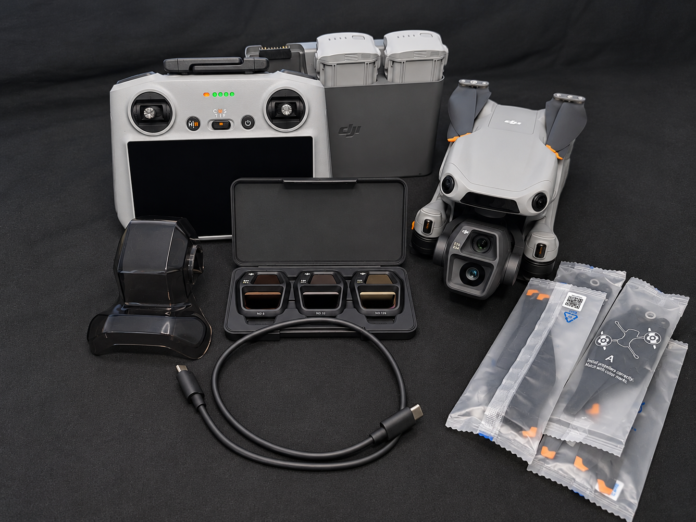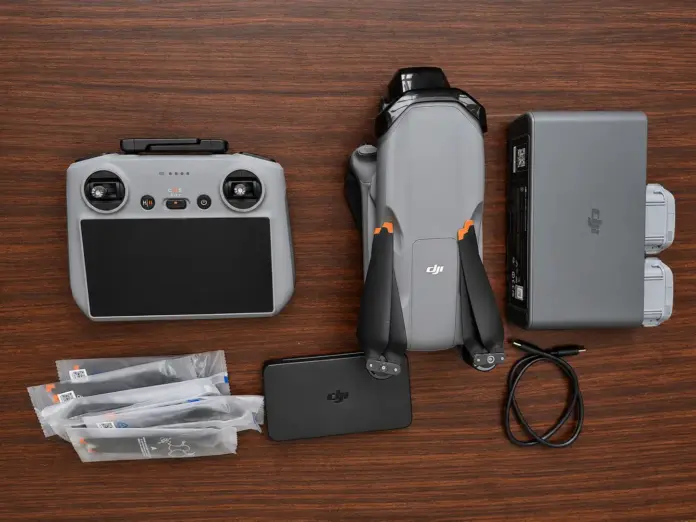

Imagine this. You manage to purchase a new DJI drone. The product is in “almost new” condition, everything seems perfect, and the price just can’t be missed. You bring it home, fully charge its battery, and get ready for your first flight.
Don’t Wait until Something Goes Wrong
It all goes well… But a few days later, you find yourself facing some problems: the gimbal starts vibrating or the camera shows an error message.
You are sure about one thing: “There is nothing to worry about because it’s still under warranty.”
But you check DJI drone warranty period expired months ago.
Unfortunately, that’s not an uncommon story for many drone users.
However, there is some good news in all of this: checking the warranty period of DJI drones does not take much time.
If you follow this short guide, you will learn how to check the warranty of any DJI drone.
Table of Contents
Why Is the Warranty so Important?
Investing in DJI drones is costly. Although the company produces high-quality items, mishaps and malfunctions can still take place.
The active warranty will help you get covered for manufacturing faults and some hardware problems, which will decrease your expenses on repair.
In case you plan to purchase a second-hand or refurbished item, having an idea about how long the warranty is active will help you in negotiating the price.
It is equally important to check the warranty as it is to inspect the item itself.
What is Covered Under the DJI Warranty?
The standard DJI warranty covers the manufacturing faults of the drone during regular use.
Based on the particular model, the DJI warranty can cover any of the following:
- Aircraft hardware
- Defects in camera
- Gimbal problems
- Remote controller hardware
- Battery charging dock
- Intelligent Flight Battery (limited coverage)
But the warranty does not usually cover the following:
- Crashes
- Water damage
- Flyaways
- Unauthorized modifications
- Misuse
- Wear and tear
In addition to the DJI warranty, if there is DJI Care for the drone, then it offers accidental damage coverage as well.
How to Check DJI Drone Warranty Status
It is very easy to check your DJI drone’s warranty if you follow the steps below.
1. Checking the Warranty Through DJI Official Site
This is one of the easiest ways to check the warranty.
Look for the serial number of the drone. The serial number can be found in the following places:
- Body of the drone
- Battery pack of the drone
- Box in which the drone was originally bought
- Invoice from where you bought the drone
- DJI Fly app
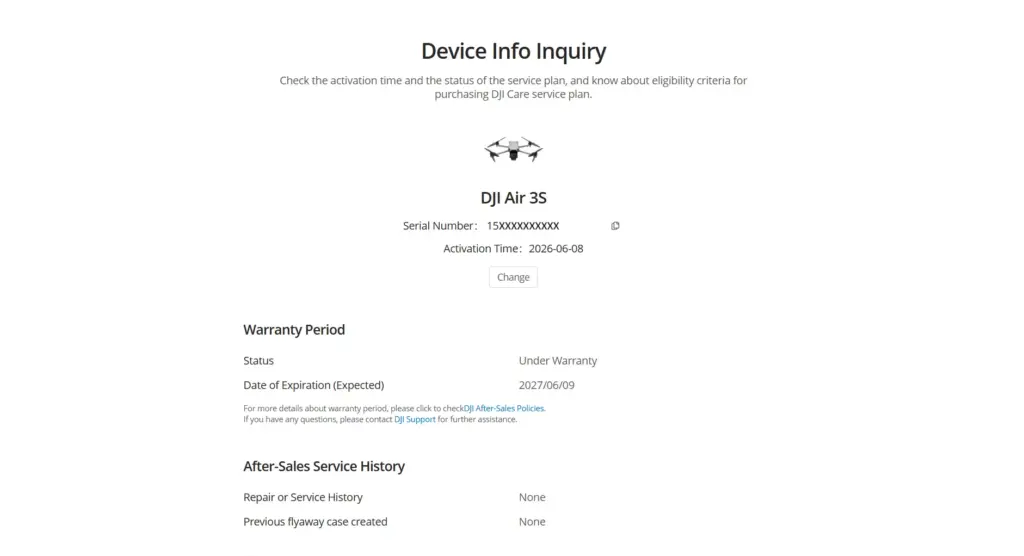
Visit the DJI official site and enter the serial number in the required field. Check the details provided. For your particular drone, you will get the following information:
- Warranty status
- Activation date
- Expiration date of warranty
- Eligibility of DJI CareJI Drone Warranty Status
Checking the warranty is simple if you follow these steps.
2. Checking through the DJI Fly App
In case your drone is already activated, you can check through the DJI Fly app:
- Switch ON the drone.
- Connect it with the remote controller.
- Open the DJI Fly app.
- Proceed to the device information page.
Check out the information regarding activation.
The date of activation will help you determine the time left for warranty coverage.
3. Ask the Seller
In case you are buying a second-hand DJI drone, ask the seller about:
- Proof of original purchase.
- Date of activation.
- Warranty details.
- Details about DJI Care.
- History of repairs.
A genuine seller won’t hesitate to provide all these details to you.
What if the warranty has lapsed?
A lapsed warranty does not necessarily make the drone unsuitable for purchase.
Rather, take time to examine it thoroughly.
Look out for the following:
- The state of its battery
- The camera
- Gimbal performance
- Motor integrity
- Flight stability
- Its propellers
- Its sensors
- Its general condition
If all is well, a drone without warranty can still be a good purchase, provided the price reflects its age and condition.
Does DJI Care mean the DJI warranty?
No.
Lots of customers mix up the two.
DJI Warranty
- Part of the purchase of a new product.
- Protects against any problems arising from manufacturing flaws.
- Has a limited lifespan.
DJI Care
- Protection plan that you purchase separately.
- Protects against any damage that occurs accidentally.
- Can provide services for replacement.
Drones may have either or both of the following:
- Warranty
- DJI Care
- Both Warrenty and DJI Care
- None of them
Always double-check both before purchase.
DJI Drone Tips Before Purchasing
When purchasing a DJI drone, remember these important tips before you pay for it:
- Verify warranty validity.
- Verify activation date.
- Match serial numbers.
- Inspect the drone itself.
- Test battery health.
- Test the camera and gimbal.
- View the drone’s flight log.
- Ask for the invoice.
- Find out if DJI Care is transferable.
- Try to buy from reputable dealers.
These small efforts today will save you big money in the future.
Buyers’ Common Mistakes
The majority of buyers care only about how the drone looks.
This is wrong.
Here are some typical mistakes buyers make:
- Believing that the drone is new because it is clean.
- Failing to examine the warranty.
- Neglecting the activation date.
- Not checking for matching serial numbers.
- Making a purchase without testing the drone.
- Relying only on screenshots.
- Transferring money without double-checking all the details.
Conclusion
A warranty check for a DJI drone is one of the easiest but, at the same time, vital actions that have to be taken prior to purchase.
The presence of a warranty means that if the issue is found due to some manufacturing defect, you have an assurance that the drone will be fixed by the manufacturer. Even if the drone does not have the warranty anymore, its status will allow you to make an informed purchase.
Therefore, whenever you decide to buy a DJI drone, check the status of its warranty, the activation date, and its overall condition.
Frequently Asked Questions (FAQs)
1. Can one find out the warranty details of a DJI drone without owning it?
Yes, one can do so by entering the serial number (often found on the box) of the drone to check its warranty.
2. When does the warranty period begin?
In most scenarios, the warranty starts upon activation, but there may be some situations where the purchase receipt can help too.
3. Is the DJI Care warranty the same as the manufacturer’s warranty?
No, the manufacturer’s warranty protects against any defects, while DJI Care is an additional warranty that protects against accidents.
4. Does a used DJI drone have warranty coverage?
Yes. The warranty will be valid for the duration of its validity even if it has already been owned by someone else. Remember to check it before you buy.
5. Will the warranty transfer to a new owner?
Warranty coverage is generally applicable to the product, but this varies according to the product, location, and type of service policy. It is better to check with DJI before you buy a used drone.
6. Is it worth getting a DJI drone without warranty coverage?
Yes. If the drone is in great shape, passes all checks, and has an impeccable flight record, then it is definitely worth it. But be sure to check everything thoroughly before purchasing the drone.